Arcom ZyWAN Bedienungsanleitung Seite 94
- Seite / 114
- Inhaltsverzeichnis
- LESEZEICHEN

- User Manual 1
- Contents 3
- ZyWAN User Manual Contents 4
- About this manual 6
- Anti-static handling 7
- Batteries 7
- Radio frequency requirements 8
- © 2008 Arcom Issue D 9 9
- © 2008 Arcom Issue D 10 10
- Introduction 11
- ZyWAN model numbers 12
- Accessories 12
- What you will need 13
- Network requirements 14
- Optional equipment 14
- Additional documentation 15
- Ports, LEDs, and connectors 16
- LED indicators 17
- Power connection 18
- Ethernet LAN connection 18
- Serial connections 19
- COM1, COM2, COM3 (RS-232) 19
- COM3 (4-wire RS-485/422) 19
- © 2008 Arcom Issue D 20 20
- USB connections 21
- © 2008 Arcom Issue D 22 22
- Understanding Interfaces 23
- Connect the configuration PC 24
- Apply power 24
- Set up computer’s network 25
- © 2008 Arcom Issue D 26 26
- and default 27
- Connect ZyWAN to the network 28
- © 2008 Arcom Issue D 31 31
- Ping the ZyWAN 32
- Configuring the ZyWAN 34
- © 2008 Arcom Issue D 35 35
- Clearing the Browser Cache 36
- © 2008 Arcom Issue D 37 37
- Changing a configuration 38
- © 2008 Arcom Issue D 39 39
- Configuration Options 40
- Default Route 40
- DHCP Server and NAT 41
- DNS Server 41
- © 2008 Arcom Issue D 42 42
- COM3 Type 43
- Cellular configuration 44
- ZyWAN-GPRS options 45
- © 2008 Arcom Issue D 46 46
- ZyWAN-3G options 47
- © 2008 Arcom Issue D 48 48
- ZyWAN-IDEN options 49
- ZyWAN-EVDO options 50
- Activate EVDO Modem? 50
- © 2008 Arcom Issue D 51 51
- In Progress: 1 56
- Ethernet configuration 57
- © 2008 Arcom Issue D 58 58
- © 2008 Arcom Issue D 59 59
- WiFi configuration 60
- Use DHCP? 61
- © 2008 Arcom Issue D 62 62
- © 2008 Arcom Issue D 63 63
- Networking configuration 64
- © 2008 Arcom Issue D 65 65
- Enable Port Forwarding 66
- © 2008 Arcom Issue D 67 67
- Enable NAT 68
- Time Synchronization 69
- © 2008 Arcom Issue D 70 70
- © 2008 Arcom Issue D 71 71
- GPS configuration 72
- © 2008 Arcom Issue D 73 73
- © 2008 Arcom Issue D 74 74
- Enable GPS Terminal Server 75
- Enable PFST,FOM? 76
- GPS UDP Message Format 77
- © 2008 Arcom Issue D 78 78
- © 2008 Arcom Issue D 79 79
- © 2008 Arcom Issue D 80 80
- Terminal Clients 81
- © 2008 Arcom Issue D 82 82
- © 2008 Arcom Issue D 83 83
- © 2008 Arcom Issue D 84 84
- © 2008 Arcom Issue D 85 85
- © 2008 Arcom Issue D 86 86
- Terminal Servers 87
- © 2008 Arcom Issue D 88 88
- © 2008 Arcom Issue D 89 89
- © 2008 Arcom Issue D 90 90
- © 2008 Arcom Issue D 91 91
- © 2008 Arcom Issue D 92 92
- Update URL 93
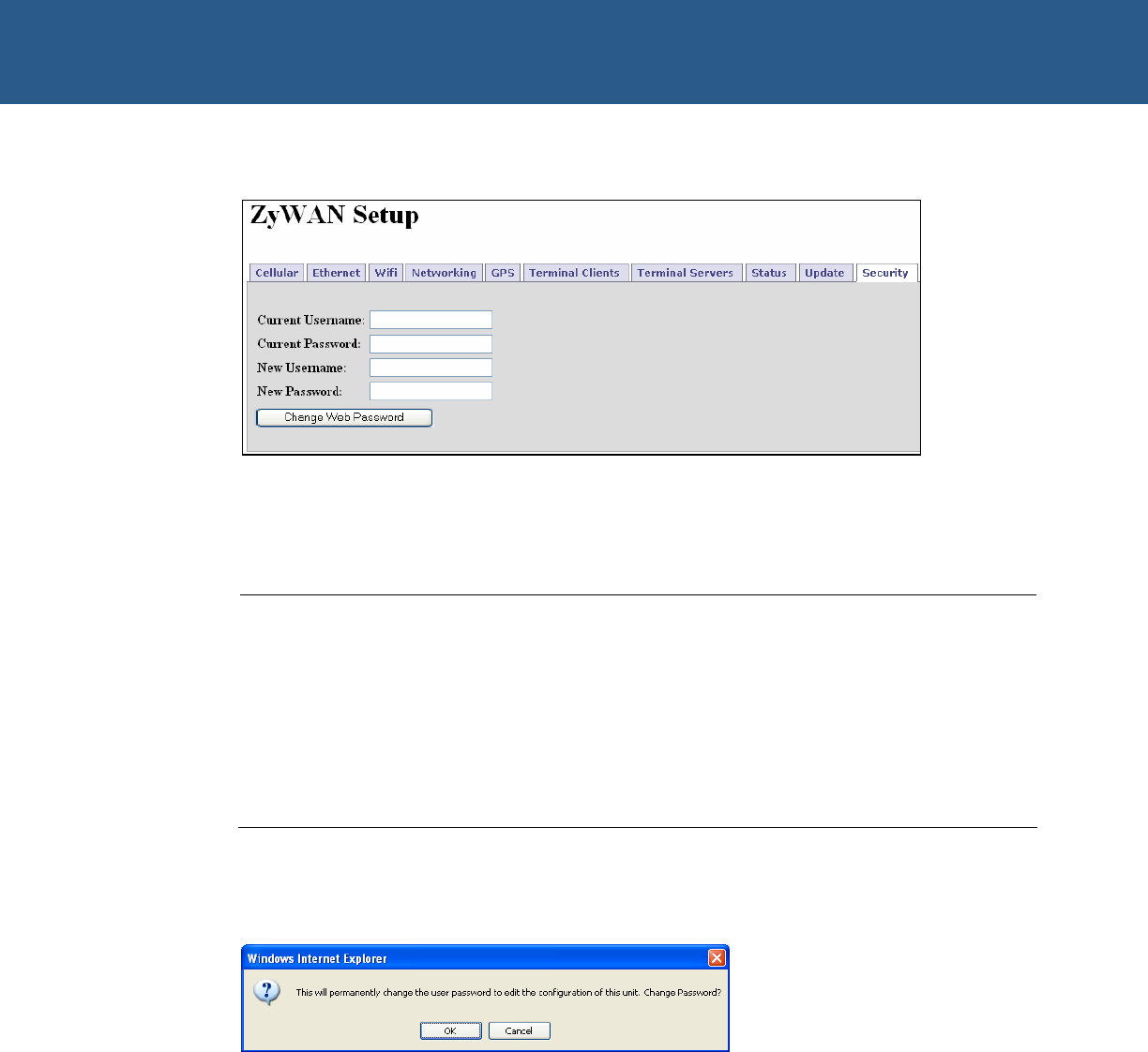
- Security 94
- © 2008 Arcom Issue D 95 95
- Configuration Examples 96
- Ethernet setup 97
- (ppp0 interface) 99
- Checking the operation 100
- © 2008 Arcom Issue D 101 101
- WiFi setup 102
- © 2008 Arcom Issue D 103 103
- Terminal Server setup 104
- Networking setup 104
- Cellular setup 105
- GPS setup 106
- Arcom sales 108
- Arcom technical support 108
- Eurotech Group 108
- ZyWAN base unit 109
- Mechanical Diagrams 110
- © 2008 Arcom Issue D 111 111
- ZyWAN User Manual Index 112
Verwandte Produkte und Handbücher für Vernetzung Arcom ZyWAN
 (52 Seiten)
(76 Seiten)
(52 Seiten)
(76 Seiten)
© 2020, manymanuals.de. Alle Rechte vorbehalten. | 0.064 s |
 Manymanuals.com
 Manymanuals.de
 Manymanuals.fr
 Manymanuals.it
 Manymanuals.pl
 Manymanuals.cz
 Manymanuals.es
 Manymanuals-pt.com
Kommentare zu diesen Handbüchern