Arcom ZyWAN Bedienungsanleitung
Stöbern Sie online oder laden Sie Bedienungsanleitung nach Vernetzung Arcom ZyWAN herunter. Arcom ZyWAN User manual Benutzerhandbuch
- Seite / 114
- Inhaltsverzeichnis
- LESEZEICHEN

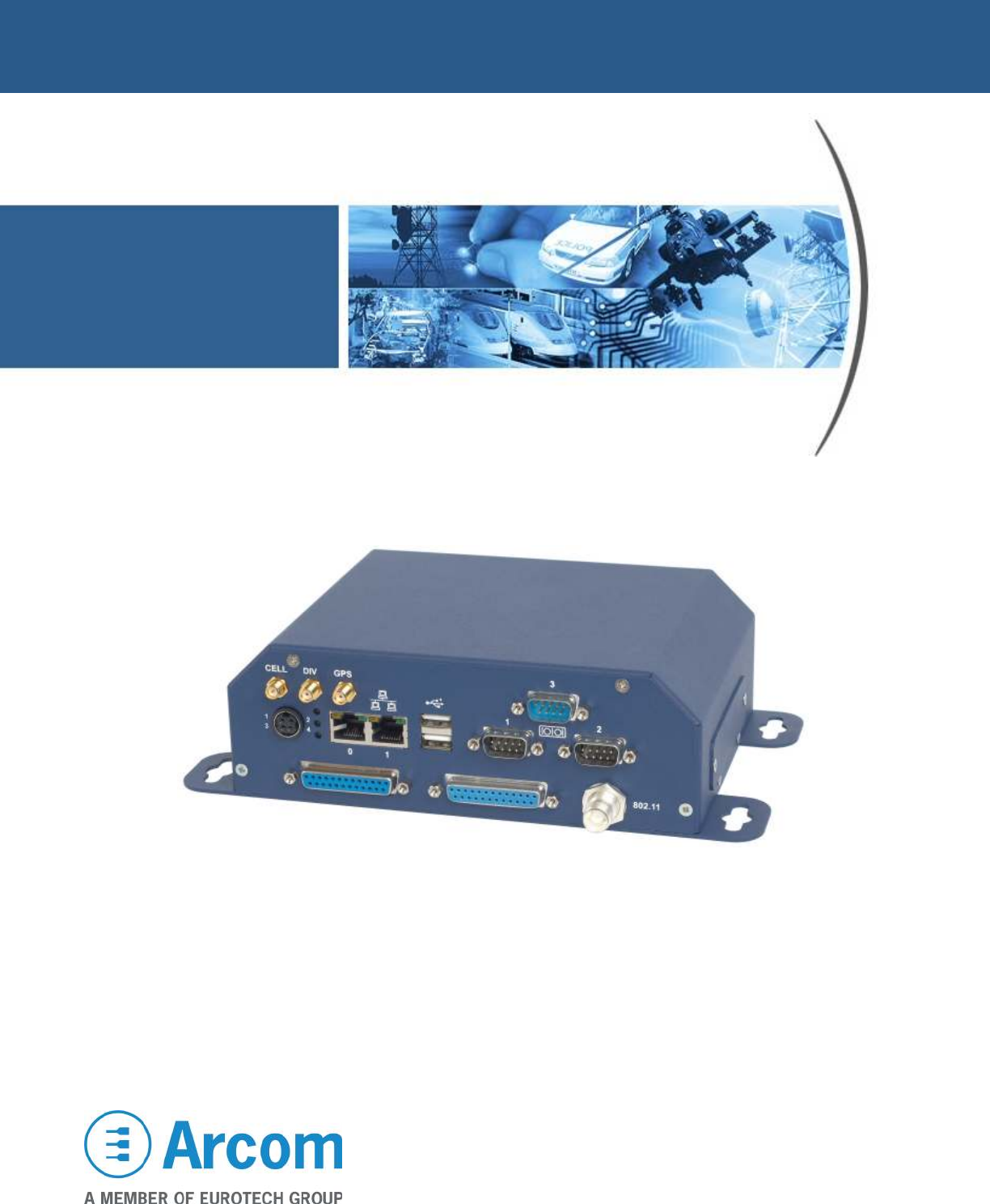
- User Manual 1
- Contents 3
- ZyWAN User Manual Contents 4
- About this manual 6
- Anti-static handling 7
- Batteries 7
- Radio frequency requirements 8
- © 2008 Arcom Issue D 9 9
- © 2008 Arcom Issue D 10 10
- Introduction 11
- ZyWAN model numbers 12
- Accessories 12
- What you will need 13
- Network requirements 14
- Optional equipment 14
- Additional documentation 15
- Ports, LEDs, and connectors 16
- LED indicators 17
- Power connection 18
- Ethernet LAN connection 18
- Serial connections 19
- COM1, COM2, COM3 (RS-232) 19
- COM3 (4-wire RS-485/422) 19
- © 2008 Arcom Issue D 20 20
- USB connections 21
- © 2008 Arcom Issue D 22 22
- Understanding Interfaces 23
- Connect the configuration PC 24
- Apply power 24
- Set up computer’s network 25
- © 2008 Arcom Issue D 26 26
- and default 27
- Connect ZyWAN to the network 28
- © 2008 Arcom Issue D 31 31
- Ping the ZyWAN 32
- Configuring the ZyWAN 34
- © 2008 Arcom Issue D 35 35
- Clearing the Browser Cache 36
- © 2008 Arcom Issue D 37 37
- Changing a configuration 38
- © 2008 Arcom Issue D 39 39
- Configuration Options 40
- Default Route 40
- DHCP Server and NAT 41
- DNS Server 41
- © 2008 Arcom Issue D 42 42
- COM3 Type 43
- Cellular configuration 44
- ZyWAN-GPRS options 45
- © 2008 Arcom Issue D 46 46
- ZyWAN-3G options 47
- © 2008 Arcom Issue D 48 48
- ZyWAN-IDEN options 49
- ZyWAN-EVDO options 50
- Activate EVDO Modem? 50
- © 2008 Arcom Issue D 51 51
- In Progress: 1 56
- Ethernet configuration 57
- © 2008 Arcom Issue D 58 58
- © 2008 Arcom Issue D 59 59
- WiFi configuration 60
- Use DHCP? 61
- © 2008 Arcom Issue D 62 62
- © 2008 Arcom Issue D 63 63
- Networking configuration 64
- © 2008 Arcom Issue D 65 65
- Enable Port Forwarding 66
- © 2008 Arcom Issue D 67 67
- Enable NAT 68
- Time Synchronization 69
- © 2008 Arcom Issue D 70 70
- © 2008 Arcom Issue D 71 71
- GPS configuration 72
- © 2008 Arcom Issue D 73 73
- © 2008 Arcom Issue D 74 74
- Enable GPS Terminal Server 75
- Enable PFST,FOM? 76
- GPS UDP Message Format 77
- © 2008 Arcom Issue D 78 78
- © 2008 Arcom Issue D 79 79
- © 2008 Arcom Issue D 80 80
- Terminal Clients 81
- © 2008 Arcom Issue D 82 82
- © 2008 Arcom Issue D 83 83
- © 2008 Arcom Issue D 84 84
- © 2008 Arcom Issue D 85 85
- © 2008 Arcom Issue D 86 86
- Terminal Servers 87
- © 2008 Arcom Issue D 88 88
- © 2008 Arcom Issue D 89 89
- © 2008 Arcom Issue D 90 90
- © 2008 Arcom Issue D 91 91
- © 2008 Arcom Issue D 92 92
- Update URL 93
- Security 94
- © 2008 Arcom Issue D 95 95
- Configuration Examples 96
- Ethernet setup 97
- (ppp0 interface) 99
- Checking the operation 100
- © 2008 Arcom Issue D 101 101
- WiFi setup 102
- © 2008 Arcom Issue D 103 103
- Terminal Server setup 104
- Networking setup 104
- Cellular setup 105
- GPS setup 106
- Arcom sales 108
- Arcom technical support 108
- Eurotech Group 108
- ZyWAN base unit 109
- Mechanical Diagrams 110
- © 2008 Arcom Issue D 111 111
- ZyWAN User Manual Index 112
Inhaltsverzeichnis
ZyWAN User Manual
ZyWAN User Manual Safety and regulatory information © 2008 Arcom Issue D 10 distance of at least 20 cm from all persons and must not be co-locat
ZyWAN User Manual Configuration Examples © 2008 Arcom Issue D 100 Checking the operation Below is some diagnostic information on checking the op
ZyWAN User Manual Configuration Examples © 2008 Arcom Issue D 101 Configuration example 2: WiFi Client The WiFi Client configuration example ill
ZyWAN User Manual Configuration Examples © 2008 Arcom Issue D 102 WiFi setup In this example, the ZyWAN network address is configured to 10.41.3
ZyWAN User Manual Configuration Examples © 2008 Arcom Issue D 103 Configuration example 3: Terminal Server The Terminal Server configuration exa
ZyWAN User Manual Configuration Examples © 2008 Arcom Issue D 104 Terminal Server setup This Terminal Server configuration uses “Full Duplex” mo
ZyWAN User Manual Configuration Examples © 2008 Arcom Issue D 105 Configuration example 4: GPS interface The GPS Interface configuration example
ZyWAN User Manual Configuration Examples © 2008 Arcom Issue D 106 GPS setup The GPS Terminal Server allows incoming TCP connections to be made t
ZyWAN User Manual Configuration Examples © 2008 Arcom Issue D 107 Networking setup The portions of the Networking page shown are used to enable
ZyWAN User Manual Appendix A – Contacting Arcom © 2008 Arcom Issue D 108 Appendix A – Contacting Arcom Arcom sales Arcom’s sales team is always
ZyWAN User Manual Appendix B - Technical specifications © 2008 Arcom Issue D 109 Appendix B - Technical specifications ZyWAN base unit General P
ZyWAN User Manual Introduction © 2008 Arcom Issue D 11 Introduction The ZyWAN is a cellular routing modem for GSM/GPRS, EvDO/1xRTT CDMA, and iDE
ZyWAN User Manual Appendix B - Technical specifications © 2008 Arcom Issue D 110 Mechanical Diagrams The mechanical dimensions of the ZyWAN are
ZyWAN User Manual Appendix B - Technical specifications © 2008 Arcom Issue D 111 Dimensions of ZyWAN Faceplate
ZyWAN User Manual Index © 2008 Arcom Issue D 112 Index 3 3G configuration · 47 8 802.11 · 42, 61 A accessories · 12 ActSoft · 77 additional docu
ZyWAN User Manual Index © 2008 Arcom Issue D 113 configuration · 72 example · 105 NMEA · 74, 75 time synchronization · 69 UDP · 77, 79 H hardwar
ZyWAN User Manual Index © 2008 Arcom Issue D 114 specifications · 109 environmental · 109 general · 109 mechanical diagrams · 110 power · 109 st
ZyWAN User Manual Introduction © 2008 Arcom Issue D 12 ZyWAN model numbers The model numbers for the ZyWAN are determined by the hardware option
ZyWAN User Manual Getting started with your ZyWAN © 2008 Arcom Issue D 13 Getting started with your ZyWAN This section helps a first-time user g
ZyWAN User Manual Getting started with your ZyWAN © 2008 Arcom Issue D 14 Software requirements of configuration computer The computer used to
ZyWAN User Manual Getting started with your ZyWAN © 2008 Arcom Issue D 15 Additional documentation In addition to this manual, there are several
ZyWAN User Manual Getting started with your ZyWAN © 2008 Arcom Issue D 16 Ports, LEDs, and connectors The front panel of the ZyWAN contains the
ZyWAN User Manual Getting started with your ZyWAN © 2008 Arcom Issue D 17 LED indicators The ZyWAN has three LED lights which indicate the follo
ZyWAN User Manual Getting started with your ZyWAN © 2008 Arcom Issue D 18 Power connection The ZyWAN can be powered from 10-30 VDC. Power to the
ZyWAN User Manual Getting started with your ZyWAN © 2008 Arcom Issue D 19 Serial connections Pin assignments for the serial ports are shown in t
Definitions Arcom is the trading name for Arcom Control Systems Inc. Disclaimer The information in this manual has been carefully checked and is bel
ZyWAN User Manual Getting started with your ZyWAN © 2008 Arcom Issue D 20 RS-485 / RS-422 wiring diagrams When connecting RS-485 or RS-422 devic
ZyWAN User Manual Getting started with your ZyWAN © 2008 Arcom Issue D 21 USB connections One or both of the USB ports may be used internally fo
ZyWAN User Manual Getting started with your ZyWAN © 2008 Arcom Issue D 22 Installing a SIM card (GPRS / 3G / IDEN) The ZyWAN for a GPRS, 3G, or
ZyWAN User Manual Getting started with your ZyWAN © 2008 Arcom Issue D 23 Understanding Interfaces The ZyWAN contains four possible IP network c
ZyWAN User Manual Getting started with your ZyWAN © 2008 Arcom Issue D 24 Initial configuration with a single PC The ZyWAN typically comes facto
ZyWAN User Manual Getting started with your ZyWAN © 2008 Arcom Issue D 25 Set up computer’s network The PC must be set up to obtain its network
ZyWAN User Manual Getting started with your ZyWAN © 2008 Arcom Issue D 26 3 Record the existing settings, then make the changes to obtain the I
ZyWAN User Manual Getting started with your ZyWAN © 2008 Arcom Issue D 27 Browse ZyWAN configuration page To browse the ZyWAN configuration page
ZyWAN User Manual Getting started with your ZyWAN © 2008 Arcom Issue D 28 Initial configuration over a network An alternate way to start the ZyW
ZyWAN User Manual Getting started with your ZyWAN © 2008 Arcom Issue D 29 Apply power Connect the power supply to a wall outlet and to the 4-pos
ZyWAN User Manual Contents © 2008 Arcom Issue D 3 Contents About this manual ...
ZyWAN User Manual Getting started with your ZyWAN © 2008 Arcom Issue D 30 4 Make the following settings for the serial communication, then clic
ZyWAN User Manual Getting started with your ZyWAN © 2008 Arcom Issue D 31 An example is shown below of setting the network address to 10.1.30.20
ZyWAN User Manual Getting started with your ZyWAN © 2008 Arcom Issue D 32 Troubleshooting connection problems If the Web configuration page does
ZyWAN User Manual Getting started with your ZyWAN © 2008 Arcom Issue D 33 If using the ZyWAN as a DHCP Server to the PC: • Make sure the PC Dhc
ZyWAN User Manual Configuring the ZyWAN © 2008 Arcom Issue D 34 Configuring the ZyWAN Configuration of the ZyWAN is done using a Web browser, ei
ZyWAN User Manual Configuring the ZyWAN © 2008 Arcom Issue D 35 3 Enter your login details when prompted. The default username is arcom and d
ZyWAN User Manual Configuring the ZyWAN © 2008 Arcom Issue D 36 The tabs across the top (Cellular, Ethernet, etc.) identify each section or page
ZyWAN User Manual Configuring the ZyWAN © 2008 Arcom Issue D 37 To clear the browser cache in Internet Explorer version 6, select Tools,Internet
ZyWAN User Manual Configuring the ZyWAN © 2008 Arcom Issue D 38 Changing a configuration The configuration details for each Web page are describ
ZyWAN User Manual Configuring the ZyWAN © 2008 Arcom Issue D 39 Even if no new changes have been made, the ZyWAN may be rebooted via the Web
ZyWAN User Manual Contents © 2008 Arcom Issue D 4 Troubleshooting connection problems ...
ZyWAN User Manual Configuring the ZyWAN © 2008 Arcom Issue D 40 Use of Default Gateway, DHCP and DNS on ZyWAN The ZyWAN provides two Ethernet (e
ZyWAN User Manual Configuring the ZyWAN © 2008 Arcom Issue D 41 The first interface which has a Default Gateway (static configuration in Web pag
ZyWAN User Manual Configuring the ZyWAN © 2008 Arcom Issue D 42 Status The Status tab looks like this: The Status tab includes several items wh
ZyWAN User Manual Configuring the ZyWAN © 2008 Arcom Issue D 43 COM3 Type The COM3 port may be factory configured to be either RS-232 or RS-485/
ZyWAN User Manual Configuring the ZyWAN © 2008 Arcom Issue D 44 Cellular configuration The Cellular properties, and therefore the ZyWAN base mod
ZyWAN User Manual Configuring the ZyWAN © 2008 Arcom Issue D 45 ZyWAN-GPRS options On the ZyWAN-GPRS, the Cellular tab looks like this: The fo
ZyWAN User Manual Configuring the ZyWAN © 2008 Arcom Issue D 46 The resulting Cellular tab looks like this:
ZyWAN User Manual Configuring the ZyWAN © 2008 Arcom Issue D 47 ZyWAN-3G options On the ZyWAN-3G, the Cellular tab looks like this: The follow
ZyWAN User Manual Configuring the ZyWAN © 2008 Arcom Issue D 48 If the Auth Type is set to Pap or Chap, the fields are: Field Explanation Usern
ZyWAN User Manual Configuring the ZyWAN © 2008 Arcom Issue D 49 ZyWAN-IDEN options On the ZyWAN-IDEN, the Cellular tab looks like this: The fo
ZyWAN User Manual Contents © 2008 Arcom Issue D 5 Terminal Server setup ...
ZyWAN User Manual Configuring the ZyWAN © 2008 Arcom Issue D 50 ZyWAN-EVDO options On the ZyWAN-EVDO, the Cellular tab looks like this: EvDO m
ZyWAN User Manual Configuring the ZyWAN © 2008 Arcom Issue D 51 If Yes is chosen for Activate EVDO Modem?, the Cellular tab looks like this when
ZyWAN User Manual Configuring the ZyWAN © 2008 Arcom Issue D 52 The screen offers the following fields and options: Field/Option Explanation NA
ZyWAN User Manual Configuring the ZyWAN © 2008 Arcom Issue D 53 Button Explanation </NAM-0> <NAM-1> MDN: 8585551515 MDN: 0000006951
ZyWAN User Manual Configuring the ZyWAN © 2008 Arcom Issue D 54 Button Explanation Set NAM Profile This button activates a profile. After the
ZyWAN User Manual Configuring the ZyWAN © 2008 Arcom Issue D 55 Button Explanation The normal response from this action should look something l
ZyWAN User Manual Configuring the ZyWAN © 2008 Arcom Issue D 56 Button Explanation Iota Enabled In Progress: 1 Repeat Test OK: 0 Repeat Test Fa
ZyWAN User Manual Configuring the ZyWAN © 2008 Arcom Issue D 57 Ethernet configuration The Ethernet tab looks like this: The following items mu
ZyWAN User Manual Configuring the ZyWAN © 2008 Arcom Issue D 58 The screen offers the following fields: Field Explanation IP Address Enter the
ZyWAN User Manual Configuring the ZyWAN © 2008 Arcom Issue D 59 The screen offers the following fields and options: Field/Option Explanation De
ZyWAN User Manual About this manual © 2008 Arcom Issue D 6 About this manual This manual provides detailed information about the ZyWAN Cellular
ZyWAN User Manual Configuring the ZyWAN © 2008 Arcom Issue D 60 WiFi configuration The Wifi tab looks like this: The following items must be co
ZyWAN User Manual Configuring the ZyWAN © 2008 Arcom Issue D 61 Option/Field Explanation Encryption Type If Use Encryption? is selected above
ZyWAN User Manual Configuring the ZyWAN © 2008 Arcom Issue D 62 The screen offers the following fields and options: Field/Option Explanation IP
ZyWAN User Manual Configuring the ZyWAN © 2008 Arcom Issue D 63 The screen offers the following fields and options: Field/Option Explanation De
ZyWAN User Manual Configuring the ZyWAN © 2008 Arcom Issue D 64 Networking configuration The Networking tab looks like this: The following item
ZyWAN User Manual Configuring the ZyWAN © 2008 Arcom Issue D 65 If Open Ports is set to Yes, the Networking tab looks like this: Changes mad
ZyWAN User Manual Configuring the ZyWAN © 2008 Arcom Issue D 66 Field Explanation Optional fields: The following optional fields configure the
ZyWAN User Manual Configuring the ZyWAN © 2008 Arcom Issue D 67 If Enable Port Forwarding is set to Yes, the Networking tab looks like this: C
ZyWAN User Manual Configuring the ZyWAN © 2008 Arcom Issue D 68 Field Explanation Inbound Port Enter the port number of the incoming connection
ZyWAN User Manual Configuring the ZyWAN © 2008 Arcom Issue D 69 The following buttons are available: Button Explanation Insert Row# Each of th
ZyWAN User Manual Safety and regulatory information © 2008 Arcom Issue D 7 Safety and regulatory information Users must observe the safety preca
ZyWAN User Manual Configuring the ZyWAN © 2008 Arcom Issue D 70 If Time Synchronization is set to NTP, a Table of NTP Servers is available which
ZyWAN User Manual Configuring the ZyWAN © 2008 Arcom Issue D 71 Field Explanation The best time server to use is one available on a local netw
ZyWAN User Manual Configuring the ZyWAN © 2008 Arcom Issue D 72 GPS configuration The GPS tab looks like this: GPS (global positioning system)
ZyWAN User Manual Configuring the ZyWAN © 2008 Arcom Issue D 73 Forward GPS to Physical COM Port If Forward GPS to Physical COM Port is set to Y
ZyWAN User Manual Configuring the ZyWAN © 2008 Arcom Issue D 74 The Enable options determine which NMEA messages is sent through the COM port: O
ZyWAN User Manual Configuring the ZyWAN © 2008 Arcom Issue D 75 Enable GPS Terminal Server If Enable GPS Terminal Server? is set to Yes, the win
ZyWAN User Manual Configuring the ZyWAN © 2008 Arcom Issue D 76 Enable PFST,FOM? Select Yes to enable the PFST and FOM messages in the NMEA dat
ZyWAN User Manual Configuring the ZyWAN © 2008 Arcom Issue D 77 GPS UDP Message Format If GPS UDP Message Format? is set to Arcom Format or ActS
ZyWAN User Manual Configuring the ZyWAN © 2008 Arcom Issue D 78 Field/Option Explanation Unit ID: Enter the unit ID which identifies the GPS da
ZyWAN User Manual Configuring the ZyWAN © 2008 Arcom Issue D 79 Arcom format for GPS messages (UDP) When using the Arcom Format for GPS data, th
ZyWAN User Manual Safety and regulatory information © 2008 Arcom Issue D 8 Packaging Should a product need to be returned to Arcom, please ensur
ZyWAN User Manual Configuring the ZyWAN © 2008 Arcom Issue D 80 Field Bytes Description Flag Bits: Bit 5: UTC TIME FLAG – This bit must b
ZyWAN User Manual Configuring the ZyWAN © 2008 Arcom Issue D 81 Terminal Clients The Terminal Clients tab looks like this: The various items mu
ZyWAN User Manual Configuring the ZyWAN © 2008 Arcom Issue D 82 The Table of Terminal Clients is part of the Terminal Client configuration: The
ZyWAN User Manual Configuring the ZyWAN © 2008 Arcom Issue D 83 Field/Option Explanation DTR Indicates Connect State Specify whether DTR indica
ZyWAN User Manual Configuring the ZyWAN © 2008 Arcom Issue D 84 Field/Option Explanation when COM3 in its RS-485 hardware option. There must be
ZyWAN User Manual Configuring the ZyWAN © 2008 Arcom Issue D 85 The Host Connection Table looks like this: The following fields and options are
ZyWAN User Manual Configuring the ZyWAN © 2008 Arcom Issue D 86 Field/Option Explanation Echo Connect Strings? Choose whether to echo all comm
ZyWAN User Manual Configuring the ZyWAN © 2008 Arcom Issue D 87 Terminal Servers The Terminal Servers tab looks like this: The various items mu
ZyWAN User Manual Configuring the ZyWAN © 2008 Arcom Issue D 88 The Table of Terminal Servers looks like this: The following fields and option
ZyWAN User Manual Configuring the ZyWAN © 2008 Arcom Issue D 89 Field/Option Explanation Duplex Select the duplex mode for the Terminal Server.
ZyWAN User Manual Safety and regulatory information © 2008 Arcom Issue D 9 be determined by turning the equipment off and on, the user is encour
ZyWAN User Manual Configuring the ZyWAN © 2008 Arcom Issue D 90 Field/Option Explanation Echo Cancel RS-485 This option is used when the intern
ZyWAN User Manual Configuring the ZyWAN © 2008 Arcom Issue D 91 The Serial Ports Table is part of the Terminal Server configuration. At least on
ZyWAN User Manual Configuring the ZyWAN © 2008 Arcom Issue D 92 The following options are available for the Serial Ports Table. At least one row
ZyWAN User Manual Configuring the ZyWAN © 2008 Arcom Issue D 93 Update The Update tab provides an option to update the ZyWAN firmware to a late
ZyWAN User Manual Configuring the ZyWAN © 2008 Arcom Issue D 94 Security The Security tab provides an option to change the ZyWAN Web configura
ZyWAN User Manual Configuring the ZyWAN © 2008 Arcom Issue D 95 Otherwise, a negative confirmation will indicate that the change password opera
ZyWAN User Manual Configuration Examples © 2008 Arcom Issue D 96 Configuration Examples The section provides examples of a few common ways the Z
ZyWAN User Manual Configuration Examples © 2008 Arcom Issue D 97 The following network settings are used in this example, which are shown in the
ZyWAN User Manual Configuration Examples © 2008 Arcom Issue D 98 WiFi setup No Default Gateway or DNS Server addresses should be configured, be
ZyWAN User Manual Configuration Examples © 2008 Arcom Issue D 99 devices on each network to route through the ZyWAN to reach the cellular networ
Weitere Dokumente für Vernetzung Arcom ZyWAN


Verwandte Produkte und Handbücher für Vernetzung Arcom ZyWAN
 (52 Seiten)
(76 Seiten)
(52 Seiten)
(76 Seiten)
© 2020, manymanuals.de. Alle Rechte vorbehalten. | 0.086 s |
 Manymanuals.com
 Manymanuals.de
 Manymanuals.fr
 Manymanuals.it
 Manymanuals.pl
 Manymanuals.cz
 Manymanuals.es
 Manymanuals-pt.com
Kommentare zu diesen Handbüchern